Artbreeder AI Image Generator

Artbreeder AI excels in creative exploration, utilizing unique genetic sliders that allow artists to seamlessly blend, morph, and crossbreed images into completely new visual forms. However, for precise, prompt-driven editing in a unified workflow, HIX AI delivers the ultimate upgrade. Try HIX AI now!
Key Features of Artbreeder
- Image Mixing and Branching: Artbreeder’s signature workflow lets users mix existing images and branch variations to explore visual ideas quickly.
- Slider-Based “Gene” Editing: Users can refine images through intuitive sliders that change visual attributes without requiring advanced editing skills.
- Collage-Based Image Creation: Artbreeder’s collage workflow lets users build images from simple shapes, text, and visual inputs.
- Pose, Patterns, and Canvas Expansion Tools: Additional tools such as poser, pattern generation, and outpainting broaden what users can do beyond basic image remixing.
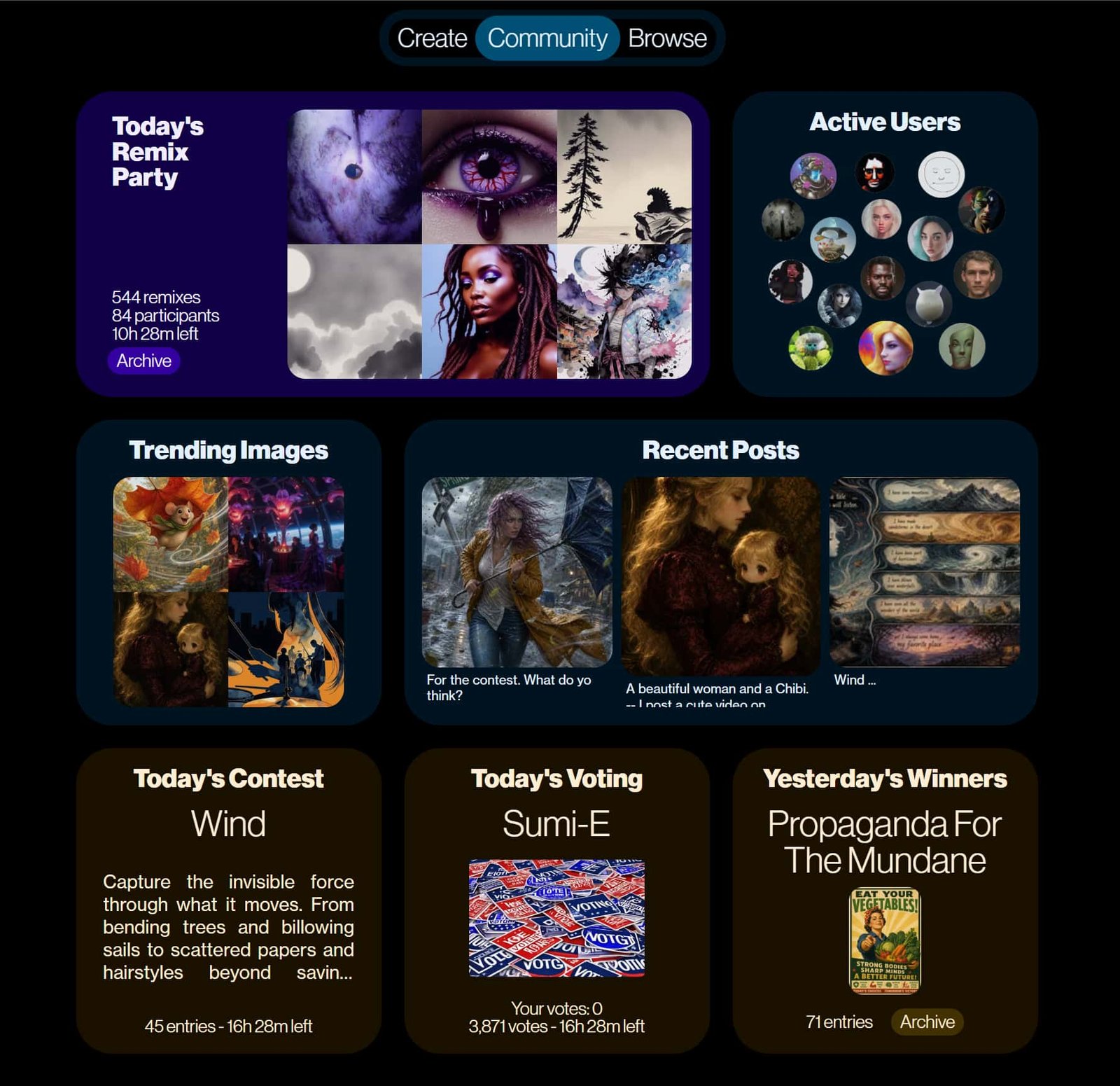
- Community Remix Ecosystem: Artbreeder’s public gallery and remix culture make it part creative tool, part collaborative image community.
Image Mixing and Branching
Artbreeder encourages iterative creation by letting users combine reference images, control the influence of parent visuals, and save alternate branches as ideas develop. That makes it especially effective for fast concept discovery, where exploration matters more than landing a single perfect result.
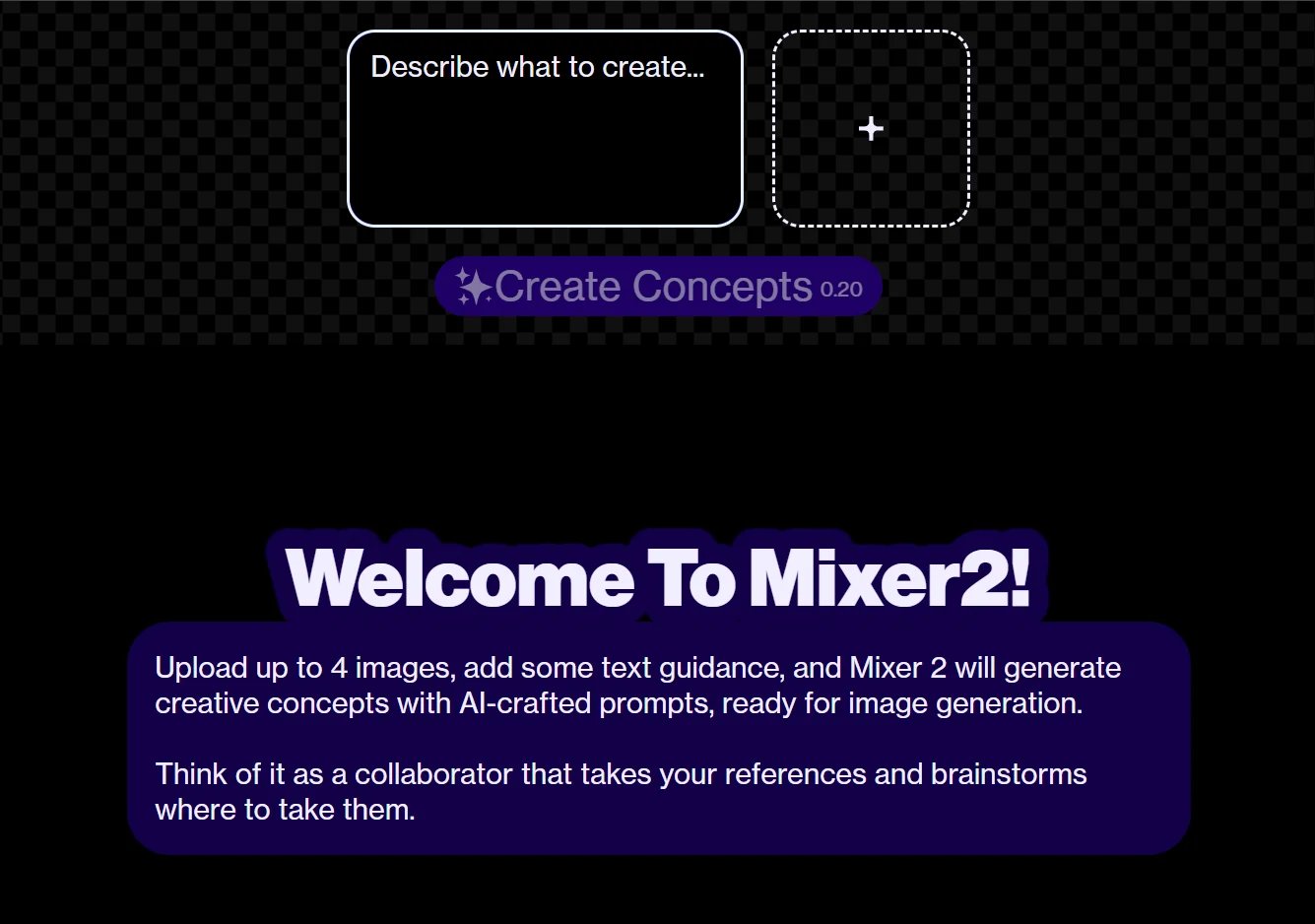
Slider-Based “Gene” Editing
Instead of relying on complex prompts or manual retouching, Artbreeder lets users adjust visual traits through gene-like sliders. Those controls can shift age, facial structure, color balance, and overall mood, making experimentation approachable for beginners while remaining useful for experienced creators.
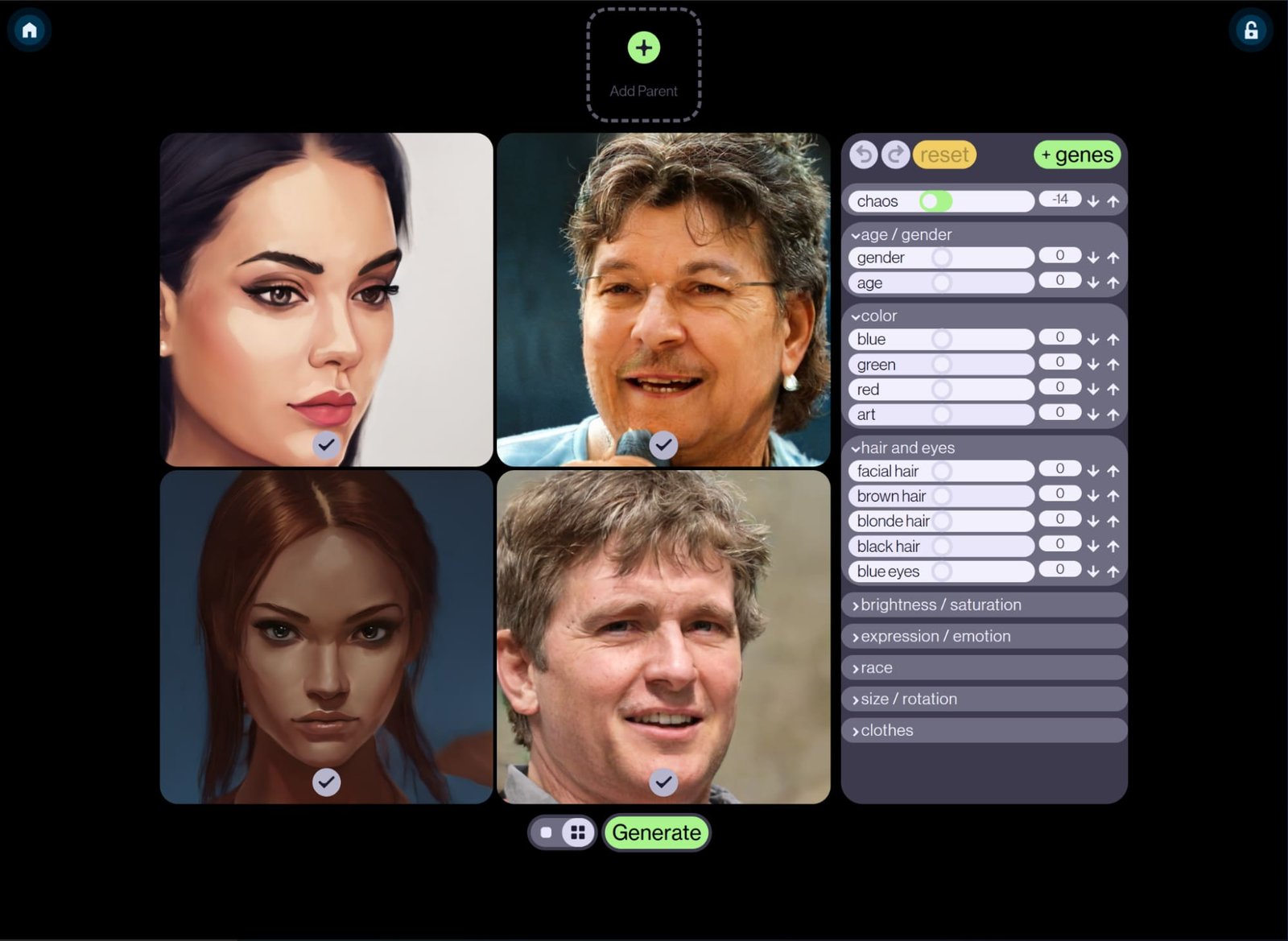
Collage-Based Image Creation
Collage broadens Artbreeder beyond portrait remixing by allowing users to assemble images from simple shapes, text, and visual inputs. It works well for rough composition, scene planning, and early ideation, especially when users want to sketch direction before refining the final image.
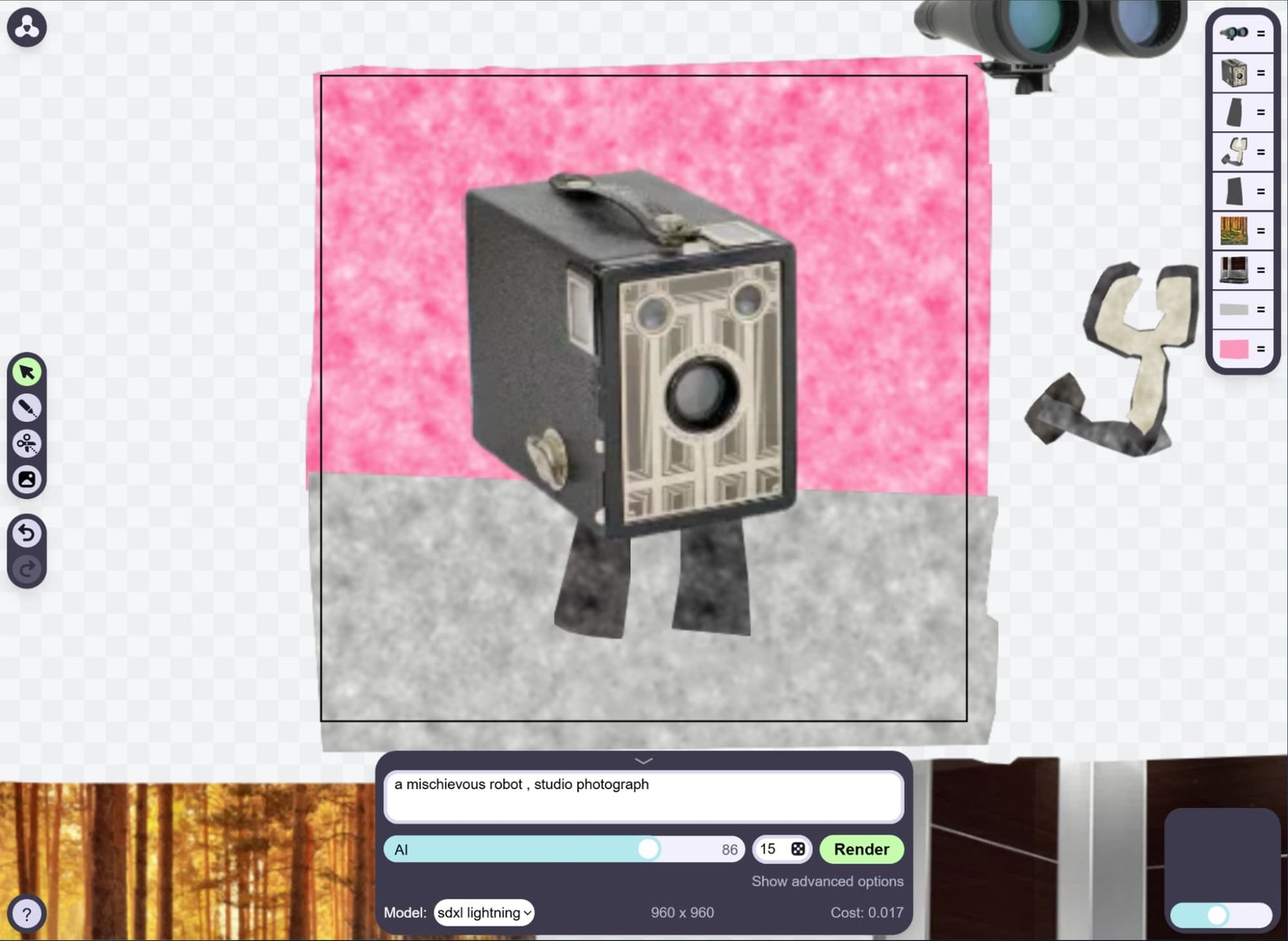
Pose, Patterns, and Canvas Expansion Tools
With poser controls, pattern generation, and outpainting-style canvas expansion, Artbreeder now supports more than its early portrait-generator identity suggests. These tools help creators test composition, build repeatable visual motifs, and extend scenes outward, making the platform more flexible for concept and worldbuilding work.
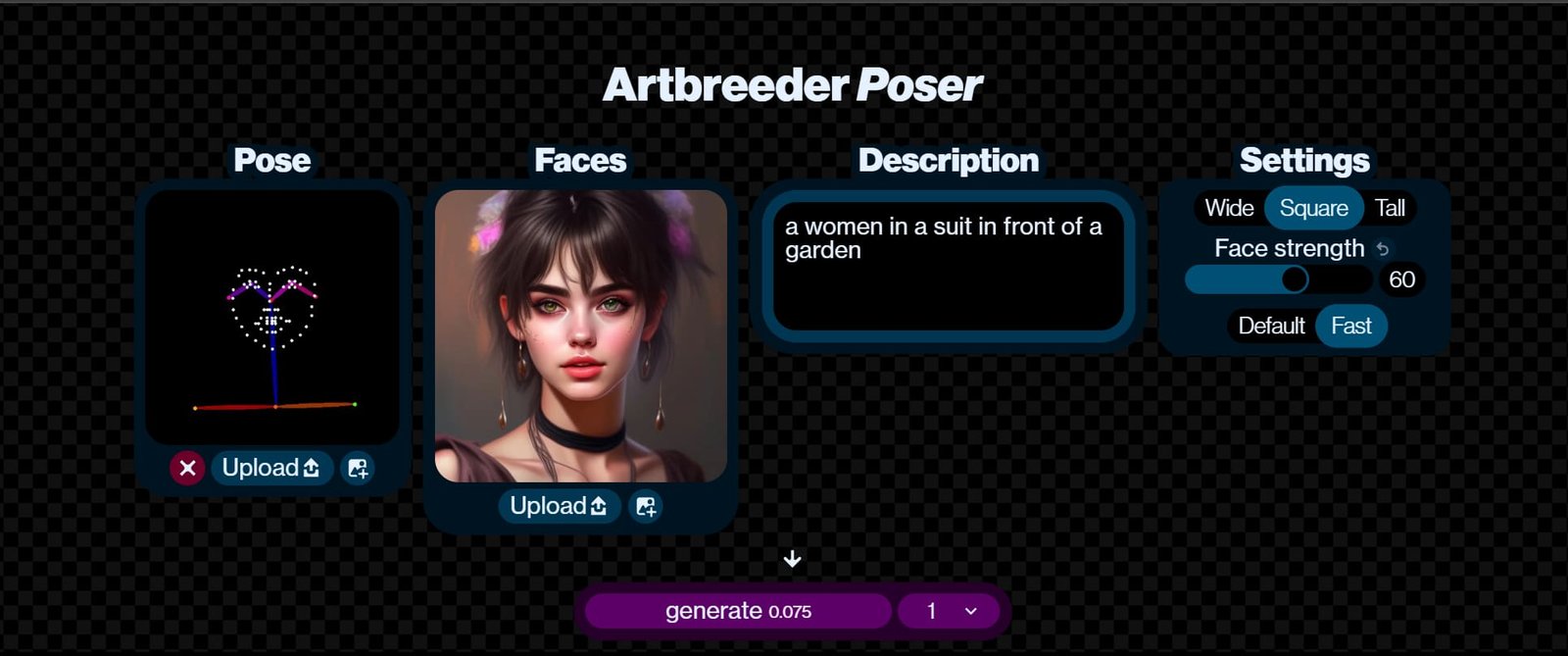
Community Remix Ecosystem
Artbreeder’s public gallery and remix culture turn the product into both a creation tool and an inspiration network. Users can browse, reuse, and evolve shared images, which lowers the barrier to experimentation, though that same openness may not fit privacy-sensitive professional workflows.
Artbreeder Review: The Pros and Cons
Pros
- Distinctive remix-first workflow: It offers a genuinely different creative experience from standard prompt-only generators.
- Accessible learning curve: Slider-based controls make it approachable for beginners and non-designers.
- Strong for characters and worldbuilding: Portraits, landscapes, fantasy settings, and concept exploration remain clear strengths.
- Community inspiration loop: Public browsing and remixing can accelerate ideation and variation.
Cons
- Limited precision compared with dedicated editors: It is not the right choice for meticulous, layer-based image work.
- Can feel unpredictable: Exploratory workflows are powerful, but they are not always efficient for exact outcomes.
- Community-first orientation may raise privacy concerns: Public-by-default culture will not suit every creator or team.
- Free-tier constraints matter: Reporting points to limits on saves, resolution, and more advanced usage.
Who Should Be Using Artbreeder?
- Character Designers & Concept Artists: Rapidly generate and iterate on faces, costumes, moods, and stylistic variations.
- Game Developers & Worldbuilders: Find NPC references, environmental concepts, fantasy settings, or visual seeds for broader design systems.
- Writers & Storytellers: Create visual references for protagonists, villains, settings, or scene moodboards without becoming prompt experts.
- Creative Teams in Early Ideation: Focus on directional discovery and rapid visual exploration rather than exact production-ready control.
- Educators & Hobbyists: Explore AI art through a visual, approachable interface rather than complex, prompt-driven platforms.
Where Artbreeder Fits in Today’s AI Image Market
In today's crowded AI market, Artbreeder thrives not as an all-in-one production hub, but as a specialized laboratory for raw visual exploration. Its remix-driven workflow makes it the perfect sandbox for early-stage world-building, prioritizing the joy of creative discovery over hyper-polished, first-try outputs.
Yet, while Artbreeder excels at capturing the chaotic sparks of visual inspiration, turning those abstract concepts into a structured, market-ready reality requires a different kind of execution engine. This is exactly where comprehensive, all-in-one ecosystems like HIX AI take the stage.
Aggregating top-tier models, HIX AI precisely decodes user intent and prompt semantics. It dynamically routes each creative task to the optimal engine based on image style, consistently delivering peak visual quality.
HIX AI seamlessly fuses image generation and editing into a single, cohesive workflow. By allowing users to modify graphics directly via text prompts, it completely eliminates the friction of switching between disparate tools.
Artbreeder vs Midjourney vs HIX AI
| Features | Artbreeder | Midjourney | HIX AI |
| Core Positioning | Specialist AI image platform centered on remixing, branching, and slider-based image evolution | Premium prompt-first image generator focused on polished output | Broader AI image workspace with multiple models and adjacent creation tools |
| Main Workflow | Mix, branch, edit, and iterate on images visually | Prompt-driven generation through Midjourney’s ecosystem and instructions | Text-to-image, image-to-image, batch generation, and chat-based editing |
| Control Style | Visual sliders, gene editing, remix mechanics, branching | Prompting plus generation controls and plan-based features | Multi-model selection with conversational and workflow-oriented controls |
| Batch or Workflow Breadth | Focused on remix-centric generation | Focused on image generation | Stronger breadth in the cited sources, with batch generation, image-to-image, and chat-based editing |
| Balanced Takeaway | Best when creative exploration and remixing are the point | Best when polished prompt-led image generation matters most | Best when users value flexibility, model variety, and a wider creation workspace |
| Platform/Access Model | Web-based platform | Subscription product with official web | Web, desktop app, and browser extension |
Why HIX AI Stands Out in a Crowded Market
- 1
Advanced Text-to-Image & Image-to-Image Capabilities
Leveraging both precision-driven text-to-image and image-to-image models, HIX AI flawlessly translates written prompts or reference assets into exact, high-fidelity imagery.
- 2
Instant, Market-Ready Delivery
From high-engagement social media posts to poster design, it drastically fast-tracks the production cycle to guarantee immediate, industry-standard results.
- 3
Unified Creation & Editing Workflow
It completely eliminates the friction of tool-hopping by consolidating the entire asset lifecycle—from initial generation to final micro-edits—into a single, seamless creative pipeline.